Running Evaluations运行评估
On this page本页内容
11. Model evaluation11. 模型评估
When connecting any model to real hardware for the first time, begin with a read-only check, a dry-run, or a minimal motion range. Allow real motion only after confirming the camera order, state dimensions, action units, and joint directions.任何模型第一次连接实机时,都应先采用只读、dry-run 或最小动作范围进行检查。确认相机顺序、状态维度、动作单位和关节方向无误后,再允许真实动作。
11.1 LeRobot policy evaluation11.1 LeRobot 策略评估
The following restores the ID/OOD benchmark evaluation procedure used in the original CalibrateREADME: 20 episodes per evaluation run, a maximum of 120 seconds per episode, scene reference images used in sequence, and an evaluation seed assigned to each group of 5 episodes. The current argument parser cannot correctly handle --dataset.rename_map, --scene_reference, or --evaluation_seed on the command line, so these parameters are placed in the corresponding JSON configurations, with exactly the same effect as the original full commands.下面恢复原 CalibrateREADME 使用的 ID/OOD benchmark 评估方式:每轮评估 20 个 episode、单次最长 120 秒、依次轮换场景参考图,并以每 5 个 episode 为一组设置评估 seed。当前版本的参数解析器不能正确处理命令行中的 --dataset.rename_map、--scene_reference 和 --evaluation_seed,所以这些参数放在对应 JSON 配置中,作用与原长命令完全相同。
11.1.1 ACT
HF_HUB_OFFLINE=1 \
TRANSFORMERS_OFFLINE=1 \
PYTORCH_CUDA_ALLOC_CONF=expandable_segments:True \
lerobot-record \
  --config_path=BREE/configs/act_eval.json \
  --policy.path=outputs/train/ACT/task08_cylinder/020000/pretrained_model \
  --policy.device=cuda \
  --policy.use_amp=true
ACT uses left_global, left_wrist, and right_wrist directly, without renaming camera keys. To evaluate a different saved training step, change only --policy.path.ACT 直接使用 left_global、left_wrist、right_wrist,不需要相机键重命名。若要评估其他保存步数,只修改 --policy.path。
11.1.2 SmolVLA-RoboTwin
SmolVLA requires the three physical cameras to be mapped to camera1, camera2, and camera3. This mapping is saved in BREE/configs/smolvla_eval.json:SmolVLA 必须把三路真实相机映射为 camera1、camera2、camera3,映射已保存在 BREE/configs/smolvla_eval.json:
HF_HUB_OFFLINE=1 \
TRANSFORMERS_OFFLINE=1 \
PYTORCH_CUDA_ALLOC_CONF=expandable_segments:True \
lerobot-record \
  --config_path=BREE/configs/smolvla_eval.json \
  --policy.path=outputs/train/SmolVLA_RoboTwin/smolvla_robotwin_task04_drawer_A_50_30k/checkpoints/020000/pretrained_model \
  --policy.device=cuda \
  --policy.use_amp=true
This configuration evaluates task04 drawer by default. The task text and scene reference directory are already set to match the original command. Before running it, confirm that the checkpoint above has been placed at that path inside the repository. If the model is still stored elsewhere, set --policy.path to its actual location.该配置默认评估 task04 drawer,任务文本和场景参考目录均已按原命令写入。运行前必须确认上述 checkpoint 已放入仓库内该路径;如果模型仍位于其他目录,应把 --policy.path 改成其实际位置。
11.1.3 XVLA
XVLA requires the three physical cameras to be mapped to image, image2, and image3. This mapping is saved in BREE/configs/xvla_eval.json:XVLA 必须把三路真实相机映射为 image、image2、image3,映射已保存在 BREE/configs/xvla_eval.json:
HF_HUB_OFFLINE=1 \
TRANSFORMERS_OFFLINE=1 \
PYTORCH_CUDA_ALLOC_CONF=expandable_segments:True \
lerobot-record \
  --config_path=BREE/configs/xvla_eval.json \
  --policy.path=outputs/train/XVLA/xvla_task08_cylinder_insertion_50_25k/checkpoints/020000/pretrained_model \
  --policy.device=cuda \
  --policy.use_amp=true
11.1.4 Configurable parameters and their effects11.1.4 可修改参数及作用
The three BREE/configs/*_eval.json files share the same structure, but their camera indices and camera key mappings can differ. Do not use the configurations interchangeably.三个 BREE/configs/*_eval.json 的结构相同,但相机编号和相机键映射可以不同。不要直接混用配置。
| Parameter参数 | Purpose and how to change it作用与修改方法 |
|---|---|
--policy.path | The model checkpoint to load. Change it when switching tasks, models, or saved training steps. The directory should contain config.json and model weights.要加载的模型 checkpoint。切换任务、模型或保存步数时必须修改。目录中应存在 config.json 和模型权重。 |
--policy.device | The inference device. Use cuda for GPU inference; switch to cpu only when troubleshooting compatibility.推理设备。GPU 使用 cuda;只有排查兼容问题时才改为 cpu。 |
--policy.use_amp | Whether to enable automatic mixed precision. true generally reduces GPU memory use and improves GPU inference speed.是否启用自动混合精度。true 通常降低显存占用并提高 GPU 推理速度。 |
robot.*_arm_config.port | The left and right follower serial ports. Update the JSON if reconnecting the devices changes their indices.左右 follower 串口。设备重新插拔后如果编号变化,需要修改 JSON。 |
robot.*_arm_config.use_degrees | Use degrees for states and actions. This is true in all three current configurations and must match the units in the training data.使用角度制状态和动作。当前三个配置均为 true,必须与训练数据单位一致。 |
index_or_path | Camera device indices. The current ACT/SmolVLA configurations use global 0, left wrist 4, and right wrist 2; XVLA uses global 0, left wrist 2, and right wrist 4. Confirm the actual device connections before running.相机设备编号。ACT/SmolVLA 配置当前为全局 0、左腕 4、右腕 2;XVLA 为全局 0、左腕 2、右腕 4。运行前必须按实际接线确认。 |
width、height、fps、fourcc | Camera resolution, frame rate, and encoding format. The current values are 640×480, 30 FPS, and MJPG. After changing them, ensure that all three cameras remain stably synchronized.相机分辨率、帧率和编码格式。当前为 640×480、30 FPS、MJPG。修改后要保证三个相机稳定同步。 |
warmup_s | Camera warmup time in seconds after startup. The current value is 3 seconds; increase it if exposure has not yet stabilized.相机启动后的预热秒数。当前为 3 秒,可在曝光尚未稳定时适当增大。 |
dataset.repo_id | The name of the local evaluation dataset. Use a new name for every new experiment to avoid conflicts with existing datasets. Even with push_to_hub=false, the 用户/数据集 format is recommended.本地评估数据集名称。每次新实验应使用新名称,避免与已有数据集冲突。push_to_hub=false 时仍建议保持 用户/数据集 格式。 |
dataset.single_task | The task text supplied to the VLA and also saved in the evaluation data. It must match both the model training prompt and the actual task. ACT does not depend on language, but this field is still recorded.输入给 VLA 的任务文本,同时写入评估数据。必须与模型训练提示词和实际任务一致;ACT 不依赖语言,但仍会记录该字段。 |
dataset.rename_map | Convert physical camera keys to the keys used during model training. Leave this empty for ACT; SmolVLA uses camera1/2/3, and XVLA uses image/image2/image3.把真实相机键转换为模型训练时使用的键。ACT 为空;SmolVLA 使用 camera1/2/3;XVLA 使用 image/image2/image3。 |
dataset.num_episodes | The total number of evaluation episodes; currently 20.总评估次数,当前为 20。 |
dataset.episode_time_s | The maximum execution time for each episode; currently 120 seconds.每个 episode 的最长执行时间,当前为 120 秒。 |
dataset.reset_time_s | The fixed reset wait between episodes. The current value of 0 means there is no additional countdown wait.episode 之间的固定复位等待时间。当前为 0,表示不额外倒计时等待。 |
dataset.push_to_hub | Whether to upload evaluation data automatically. This is currently false, so data is saved only on the local machine.是否自动上传评估数据。当前为 false,只保存在本机。 |
enable_home_hotkey | Enable the H key to return to the configured home pose. Before evaluation, ensure that the motion path is free of collision risks.启用 H 键回到设定 home pose。评估前应先确保该动作路径没有碰撞风险。 |
home_duration_s | The duration of the smooth return-to-home motion; currently 2 seconds. Increasing it reduces the motion speed.回 home 的平滑运动时长,当前为 2 秒;增大可降低运动速度。 |
scene_reference | The directory containing ID/OOD scene reference images. Change it when switching tasks or OOD conditions, for example by replacing the final ID with the corresponding OOD directory.ID/OOD 场景参考图片目录。切换任务或切换到 OOD 条件时修改,例如将末尾 ID 改为对应的 OOD 目录。 |
scene_reference_camera | The camera used for the reference overlay; currently the fixed global camera, global.用哪一路相机叠加参考图,当前为固定全局相机 global。 |
scene_overlay_alpha | The reference image opacity, from 0 to 1. The current value is 0.4; higher values make the reference more visible.参考图透明度,范围 0~1。当前 0.4;数值越大参考图越明显。 |
episodes_per_reference | The number of consecutive successful episodes that use each reference image. The current value is 1, so the next image is selected after each completed episode.每张参考图连续用于多少个成功 episode。当前为 1,即每次完成后切换下一张图。 |
scene_reference_cycle | Whether to loop back to the first reference image after reaching the last one. Keep this true when 20 evaluation episodes require multiple passes through the reference images.到达最后一张参考图后是否从第一张重新循环。20 次评估需要多轮参考图时保持 true。 |
evaluation_seed | The seed for the first evaluation group; currently 0. This changes stochastic inference only for policies that support inference_seed; ACT output is largely unaffected.第一组评估使用的 seed,当前为 0。仅对支持 inference_seed 的策略改变随机推理;ACT 输出基本不受影响。 |
episodes_per_seed | The number of consecutive successful episodes per seed. The current value is 5, dividing 20 evaluation episodes into 4 seed groups.每个 seed 连续使用多少个成功 episode。当前为 5,因此 20 次评估分为 4 组 seed。 |
scene_home_requires_h | When true, pressing H is required to return home during scene preview. This is currently false.true 时场景预览阶段必须按 H 才会回 home;当前为 false。 |
require_leader_home_alignment | Whether the leader and follower home poses must align before an episode can start. Policy-only evaluation has no leader, so keep this false.是否要求 leader 与 follower 的 home 姿态对齐后才能开始。纯 policy 评估没有 leader,保持 false。 |
display_data | Whether to display camera and state data; currently true.是否显示相机和状态数据,当前为 true。 |
play_sounds | Whether to play spoken prompts for episode starts, ends, and other events; currently true.是否播放 episode 开始、结束等语音提示,当前为 true。 |
HF_HUB_OFFLINE=1 and TRANSFORMERS_OFFLINE=1 force the use of local model files only; missing cached files cause an error. PYTORCH_CUDA_ALLOC_CONF=expandable_segments:True helps reduce CUDA memory fragmentation. Before the first run, check the checkpoint, camera indices, task text, and scene_reference individually.HF_HUB_OFFLINE=1 和 TRANSFORMERS_OFFLINE=1 强制只使用本地模型文件;若缺少缓存会直接报错。PYTORCH_CUDA_ALLOC_CONF=expandable_segments:True 用于缓解 CUDA 显存碎片。第一次运行前,应先逐项核对 checkpoint、相机编号、任务文本和 scene_reference。
11.2 RDT evaluation11.2 RDT 评估
The RDT client is located at:RDT 客户端位于:
BREE/model_inference/rdt_bi_so_inference.py
For the first run, add --dry-run. This reads the robot and cameras and performs inference without sending motor commands:第一次运行必须增加 --dry-run,此时会读取机器人和相机并执行推理,但不会发送电机命令:
python BREE/model_inference/rdt_bi_so_inference.py \
  --checkpoint PATH_TO_RDT_CHECKPOINT \
  --siglip models/rdt/siglip-so400m-patch14-384 \
  --lang-embedding outputs/rdt_lang/task01_pickplace.pt \
  --global-camera 0 \
  --left-wrist-camera 2 \
  --right-wrist-camera 4 \
  --steps 600 \
  --num-episodes 10 \
  --save-videos \
  --video-output-dir outputs/rdt_eval_videos \
  --dry-run
Only after confirming that the predictions and directions are correct should you remove the final --dry-run line to execute real motion. RDT evaluation videos are saved in outputs/rdt_eval_videos/.确认预测值和方向无误后,删除最后一行的 --dry-run 才会执行真实动作。RDT 评估视频统一保存在 outputs/rdt_eval_videos/。
11.3 OpenPI evaluation11.3 OpenPI 评估
OpenPI has been consolidated under BREE/openpi_eval/. Run the server and robot client in two separate terminals.OpenPI 已完整整理到 BREE/openpi_eval/。服务端和机器人客户端需要在两个终端中运行。
In the first terminal, start the server using task01 as the example:终端一,以 task01 为例启动服务端:
BREE/openpi_eval/run_server.sh \
  --policy-config pi05_biso_task01 \
  --checkpoint BREE/openpi_eval/checkpoints/task01_openpi_pi05_lora_2gpu_30k/20000 \
  --dataset-repo-id yyyyyy0604/task01_pickplace_big_50
In the second terminal, start the client:终端二启动客户端:
BREE/openpi_eval/run_client.sh \
  --host 127.0.0.1 \
  --port 8000 \
  --left-port /dev/ttyACM0 \
  --right-port /dev/ttyACM1 \
  --global-camera 0 \
  --left-wrist-camera 2 \
  --right-wrist-camera 4 \
  --prompt "YOUR TASK DESCRIPTION" \
  --steps 300
The client defaults to dry-run and does not send motor commands. Add the following only after checking the predictions:客户端默认是 dry-run,不会发送电机命令。确认预测结果后才增加:
--execute
For OpenPI task configurations, checkpoint mappings, fixed diffusion seeds, and dependencies, see:OpenPI 的任务配置、checkpoint 对应关系、固定 diffusion seed 和依赖说明见:
BREE/openpi_eval/README.md
The complete contents of BREE/openpi_eval/README.md follow.下方完整展开 BREE/openpi_eval/README.md 的内容。
Camera indices: the main operating README uses left wrist 2 and right wrist 4; the OpenPI-specific README below uses left wrist 4 and right wrist 2. Both commands retain their original indices. Confirm the actual mapping from live views before running.相机编号说明:主操作 README 的客户端示例为左腕 2、右腕 4;下方 OpenPI 专项 README 的示例为左腕 4、右腕 2。两份原文命令均保留各自编号,运行前按实时画面核对。
OpenPI dual-arm evaluationOpenPI 双臂评估
This directory contains the project files, Python environment, tokenizer, model checkpoints, server, and robot client required for OpenPI Pi0.5 dual-arm evaluation.本目录包含 OpenPI Pi0.5 双臂评估需要的项目文件、Python 环境、tokenizer、模型 checkpoint、服务端和机器人客户端。
Directory structure:目录结构:
BREE/openpi_eval/
├── calibration/                       # OpenPI 客户端使用的双臂标定文件副本
├── checkpoints/                       # task01~task08 微调 checkpoint
├── openpi/                            # OpenPI 源码及 .venv
├── openpi_data/                       # PaliGemma tokenizer 等离线数据
├── python_runtime/                    # .venv 使用的 Python 3.11 runtime
├── openpi_pi05_biso_inference.py      # 双臂机器人客户端
├── serve_openpi_seeded_policy.py      # 支持固定扩散 seed 的服务端
├── run_server.sh                      # 服务端统一入口
└── run_client.sh                      # 客户端统一入口
Start the server启动服务端
Run the following commands from the LeRobot repository root. This example uses task01:以下命令均从 LeRobot 仓库根目录运行。示例为 task01:
BREE/openpi_eval/run_server.sh \
  --policy-config pi05_biso_task01 \
  --checkpoint BREE/openpi_eval/checkpoints/task01_openpi_pi05_lora_2gpu_30k/20000 \
  --dataset-repo-id yyyyyy0604/task01_pickplace_big_50
The checkpoint dataset names for task02 and task03 differ from the default names in the configuration files. When starting the server, pass the repo id that actually exists in the checkpoint:task02 和 task03 的 checkpoint 数据集名称与配置文件中的默认名称不同,启动时必须传入 checkpoint 内真实存在的 repo id:
task02: yyyyyy0604/task02_stacking_A_50_fixed_long_prompt_wrist_swapped
task03: yyyyyy0604/task03_switch_right_50
Start the robot client启动机器人客户端
Open a second terminal and run from the LeRobot repository root:打开第二个终端,从 LeRobot 仓库根目录运行:
BREE/openpi_eval/run_client.sh \
  --host 127.0.0.1 \
  --port 8000 \
  --left-port /dev/ttyACM0 \
  --right-port /dev/ttyACM1 \
  --global-camera 0 \
  --left-wrist-camera 4 \
  --right-wrist-camera 2 \
  --prompt "Pick up the red cylinder" \
  --steps 300
The client defaults to a read-only dry-run and does not send commands to the motors. Add the following only after confirming that the predicted directions and values are correct:客户端默认是只读 dry-run,不会向电机发送命令。确认预测方向和数值正确后才可增加:
--execute
To fix the diffusion seed, add:需要固定扩散 seed 时增加:
--evaluation-seed 0
For scene reference images, pass a relative path inside this repository, for example:如果需要场景参考图,可以传入位于本仓库内的相对路径,例如:
--scene-reference BREE/camera_reference/<任务目录>
System dependencies系统级依赖
This directory already includes the OpenPI code, Python 3.11 runtime, Python package environment, tokenizer, and fine-tuned checkpoints. The operating system must still provide compatible Linux x86-64 runtime libraries, NVIDIA driver/CUDA device access, USB serial permissions, and camera devices. These are system and hardware requirements, rather than project data files.本目录已包含 OpenPI 代码、Python 3.11 runtime、Python 包环境、tokenizer 和微调 checkpoint。仍需要操作系统提供兼容的 Linux x86-64 运行库、NVIDIA 驱动/CUDA 设备访问、USB 串口权限和摄像头设备。这些属于系统与硬件运行环境,不是项目数据文件。
Supplement · ID / OOD scenes and operation补充 · ID / OOD 场景与操作
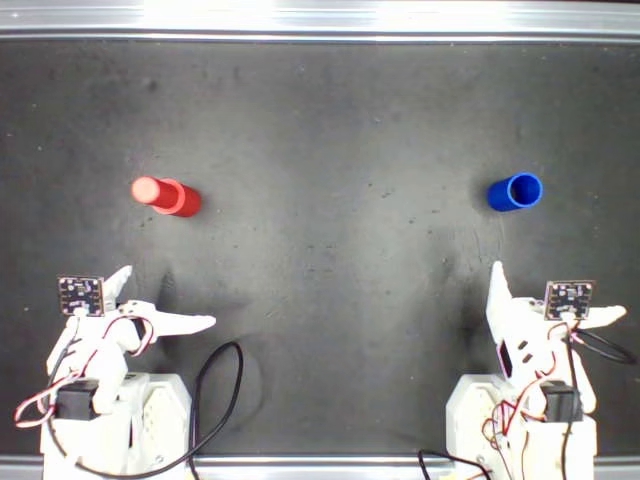
ID (in-distribution) evaluates scenes drawn from the conditions covered by training. OOD (out-of-distribution) evaluates a specified held-out condition. The diagrams below illustrate a change in starting position while the task and target stay the same.ID(分布内)评测训练数据覆盖的场景条件,OOD(分布外)评测指定的未见条件。下图以初始摆放位置变化为例,任务与目标位置保持一致。
Conceptual diagrams, not benchmark reference images. The shaded dashed area represents training layout coverage; blocks 1 and 2 are the manipulated objects. These drawings do not specify official positions, distances or an OOD threshold. Use the designated task scene images for the actual evaluation conditions.以上为概念示意,并非评测实景参考图。虚线阴影区表示训练布局覆盖范围,色块 1、2 表示操作物体。图中未规定正式摆放坐标、距离或 OOD 阈值;实际评测条件以指定任务的场景图为准。
Revision e97d1b6 includes nine ID reference sets (eight tasks and an additional switch variant), each with five raw images, plus selection records and two distribution guides. It does not yet contain an OOD/ image directory. ID evaluation can use the supplied files now; OOD evaluation requires the designated OOD images.版本 e97d1b6 已包含 9 组 ID 参考图(8 类任务及一个开关变体),每组 5 张原图,另附选择记录和 2 张分布标注图。目前尚无 OOD/ 图片目录。ID 评测可直接使用这些文件;OOD 评测需准备指定的 OOD 图片。
A · Real ID references from the repositoryA · 仓库中的真实 ID 参考图
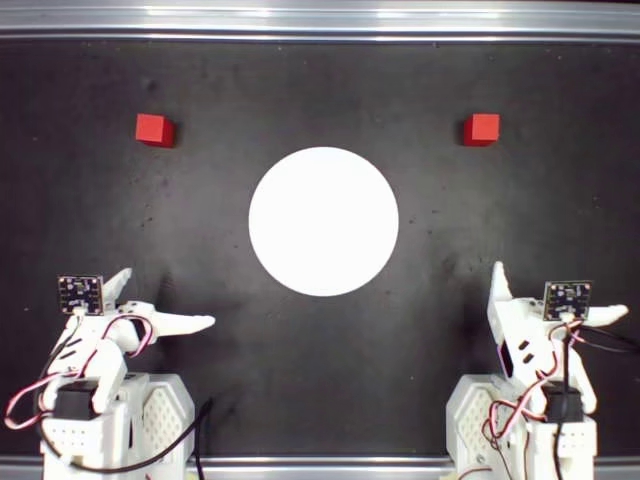
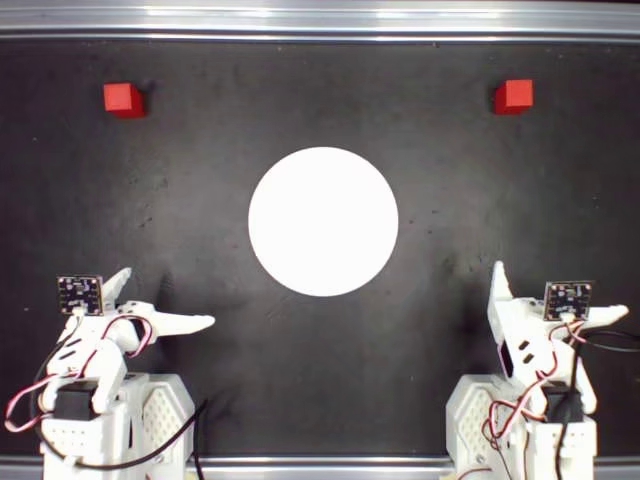
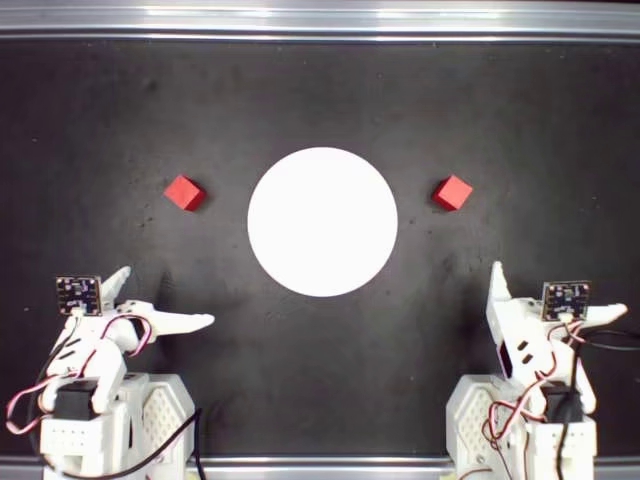
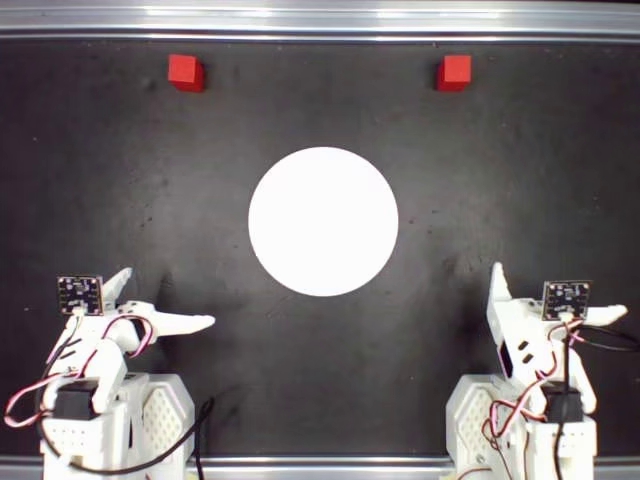
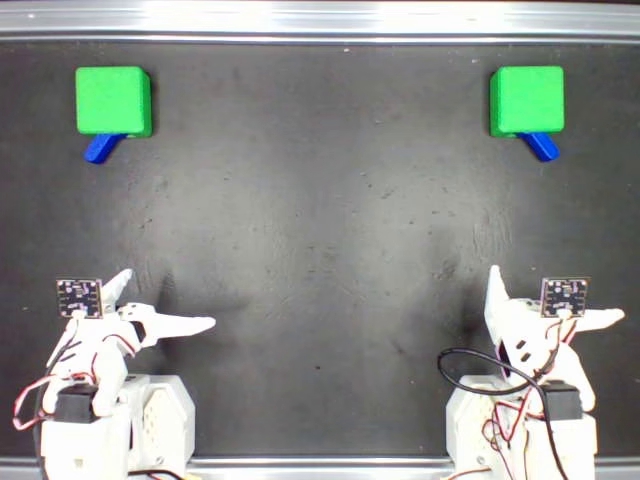
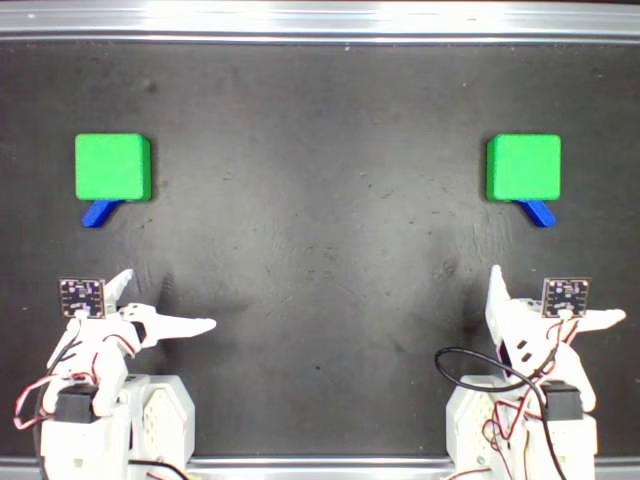
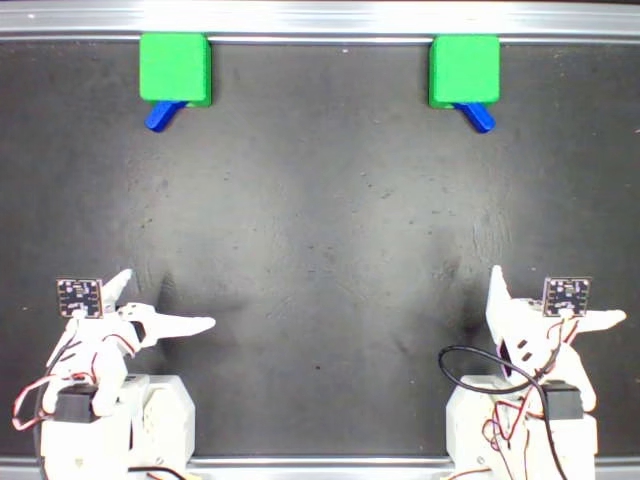
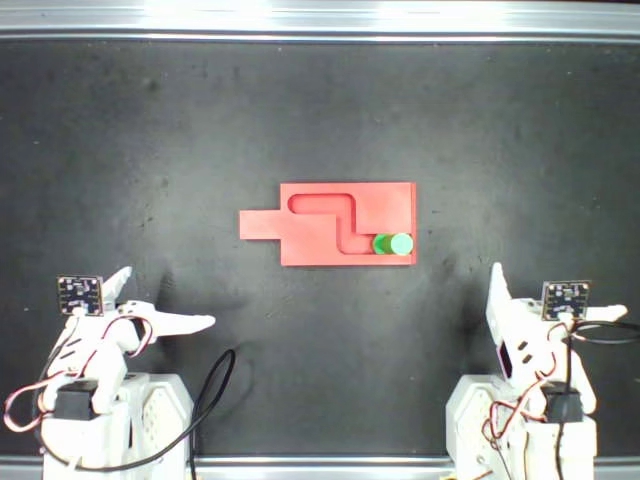
The reference sets below contain the first global-camera frames of real training episodes. Each set has five images. Task numbers follow this site’s 3DAssets numbering; repository folder names are shown alongside them. Open a task to inspect its five layouts, then click an image for the full-size file.下列参考图来自真实训练回合的全局相机首帧,每组 5 张。任务编号沿用本站 3DAssets 编号,同时标出仓库目录名。展开任务查看 5 种布局,点击图片可查看原图。
Match the image set to the training dataset and checkpoint. The current switch set uses yyyyyy0604/task03_switch_right_50; the additional switch variant uses yyyyyy0604/task03_switch_new_50. Their layouts should be selected for the corresponding model variant.场景图应与训练数据集、模型权重对应。当前开关参考集来自 yyyyyy0604/task03_switch_right_50,另附的开关变体来自 yyyyyy0604/task03_switch_new_50,应按模型变体选择对应布局。
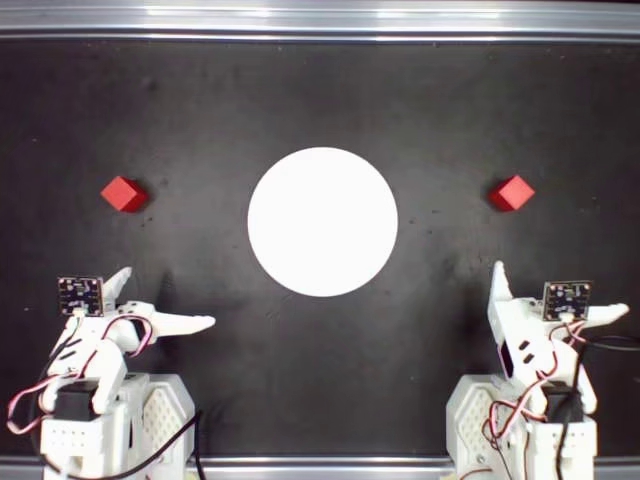
Task 01 · Pick and Place任务 01 · 抓取与放置
Repository folder: task01_pickplace/ID/ · Dataset: yyyyyy0604/task01_pickplace_pic1+3_A_50仓库目录:task01_pickplace/ID/ · 数据集:yyyyyy0604/task01_pickplace_pic1+3_A_50
The selection manifest records a central representative layout and four additional layouts covering the non-outlier distribution.选择记录包含 1 个中心代表布局与 4 个覆盖非异常分布的布局。
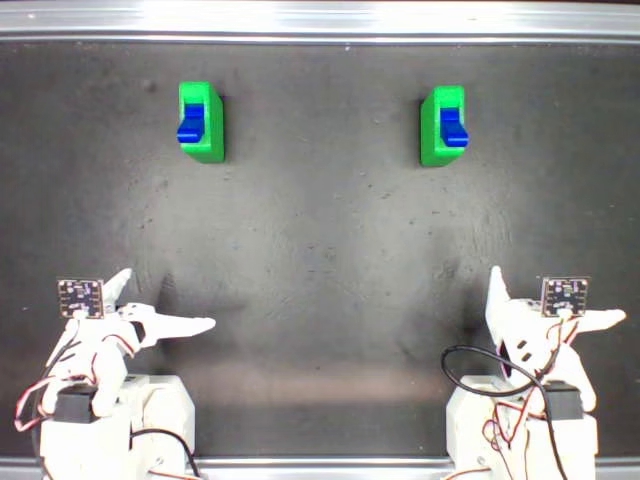
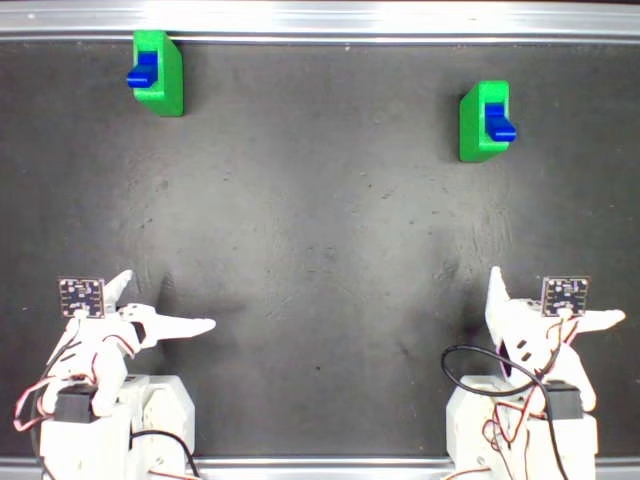
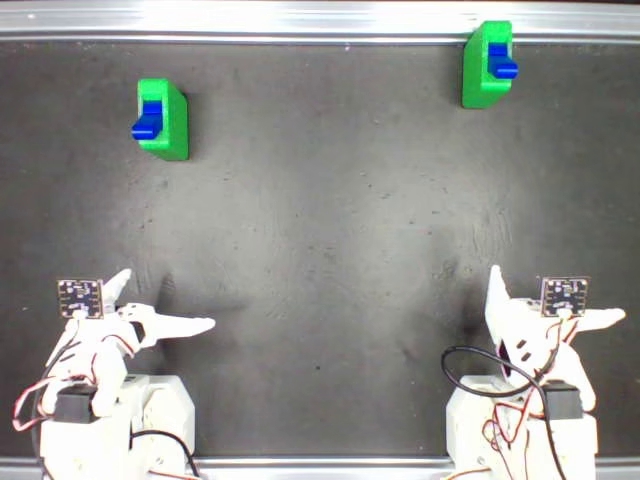
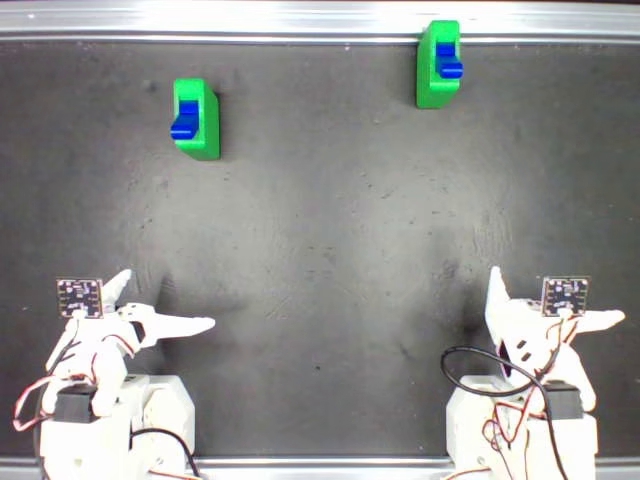
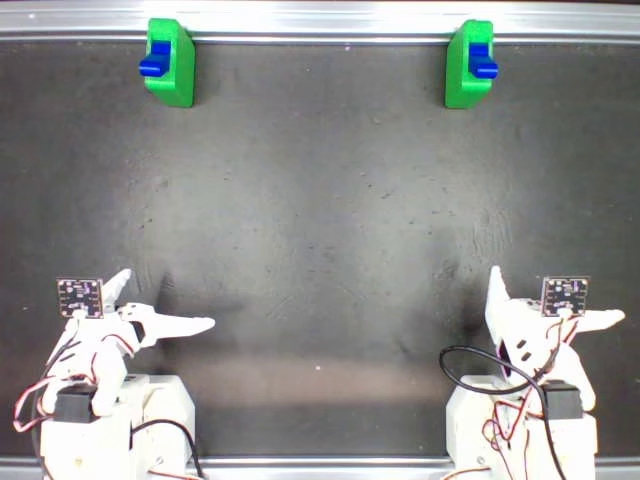
Task 02 · Switch Pushing任务 02 · 拨动开关
Repository folder: task03_switch/ID/ · Dataset: yyyyyy0604/task03_switch_right_50仓库目录:task03_switch/ID/ · 数据集:yyyyyy0604/task03_switch_right_50
These five episodes were selected by uniform random sampling without replacement; the source is recorded in random_selection_manifest.json.此组 5 个回合采用不放回均匀随机抽样,来源记录见 random_selection_manifest.json。
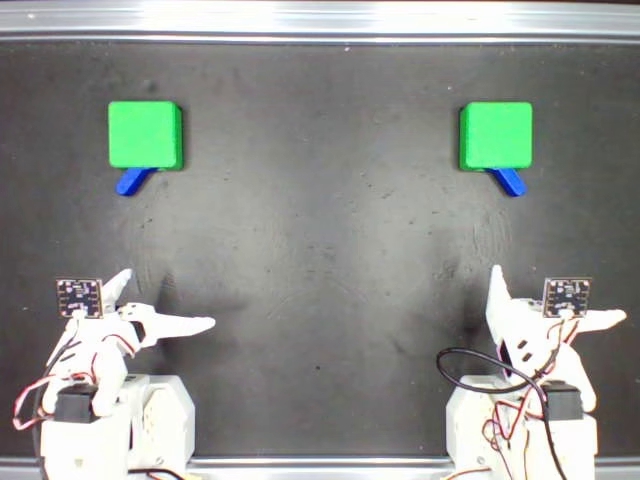
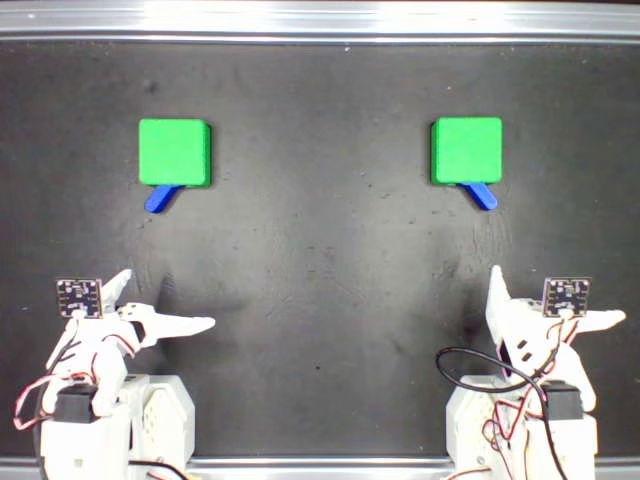
Task 02 · Switch Pushing · alternate switch dataset任务 02 · 拨动开关 · 开关数据集变体
Repository folder: task03_switch_new/ID/ · Dataset: yyyyyy0604/task03_switch_new_50仓库目录:task03_switch_new/ID/ · 数据集:yyyyyy0604/task03_switch_new_50
The selection manifest records a central representative layout and four additional layouts covering the non-outlier distribution.选择记录包含 1 个中心代表布局与 4 个覆盖非异常分布的布局。
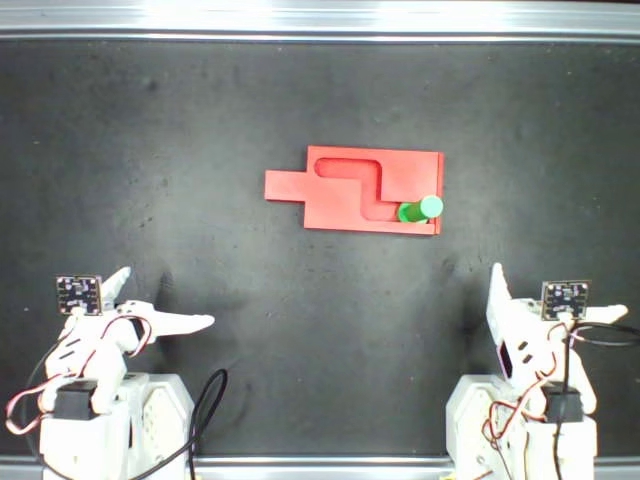
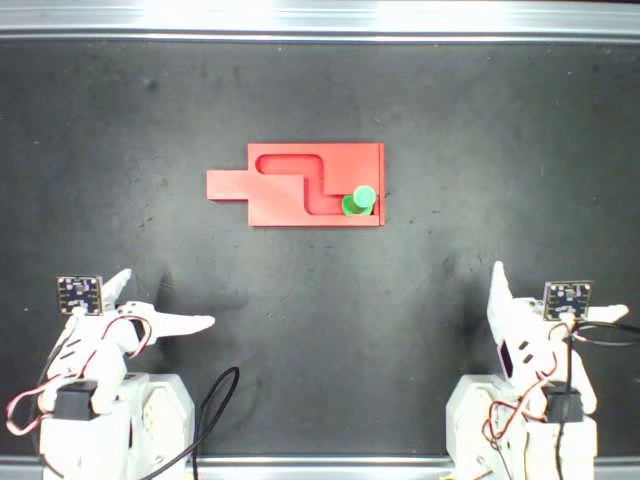
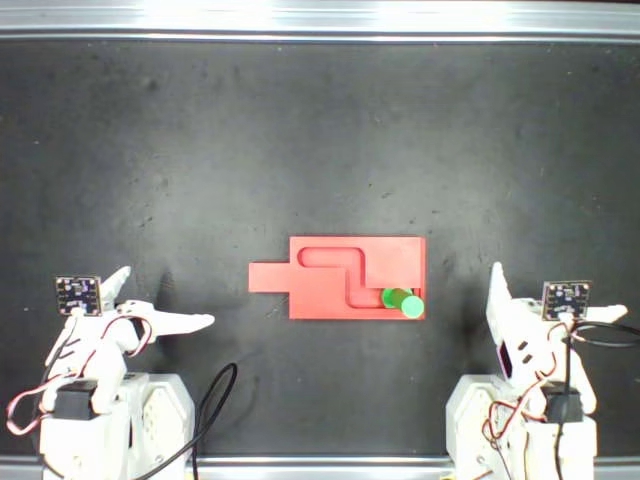
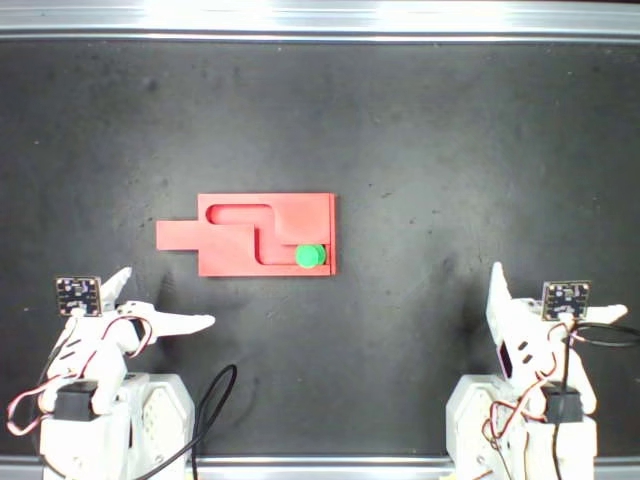
Task 03 · Trajectory Pushing任务 03 · 轨迹推动
Repository folder: task05_trajectory/ID/ · Dataset: yyyyyy0604/task05_trajectory仓库目录:task05_trajectory/ID/ · 数据集:yyyyyy0604/task05_trajectory
The selection manifest records a central representative layout and four additional layouts covering the non-outlier distribution.选择记录包含 1 个中心代表布局与 4 个覆盖非异常分布的布局。
Task 04 · Plate Loading任务 04 · 托盘装载
Repository folder: task06_plate/ID/ · Dataset: yyyyyy0604/task06_plate_A_50仓库目录:task06_plate/ID/ · 数据集:yyyyyy0604/task06_plate_A_50
The selection manifest records a central representative layout and four additional layouts covering the non-outlier distribution.选择记录包含 1 个中心代表布局与 4 个覆盖非异常分布的布局。
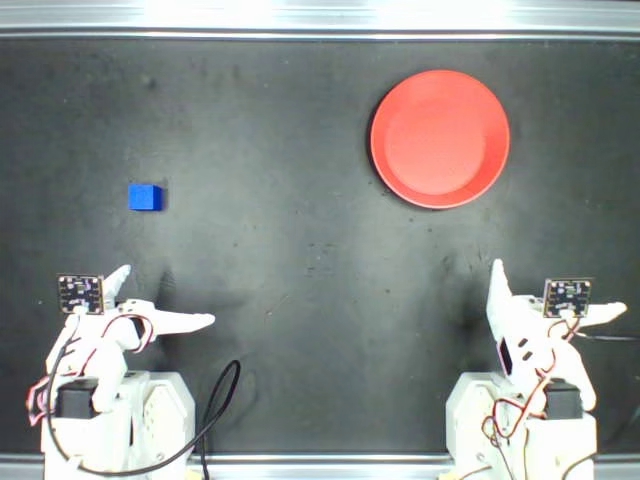
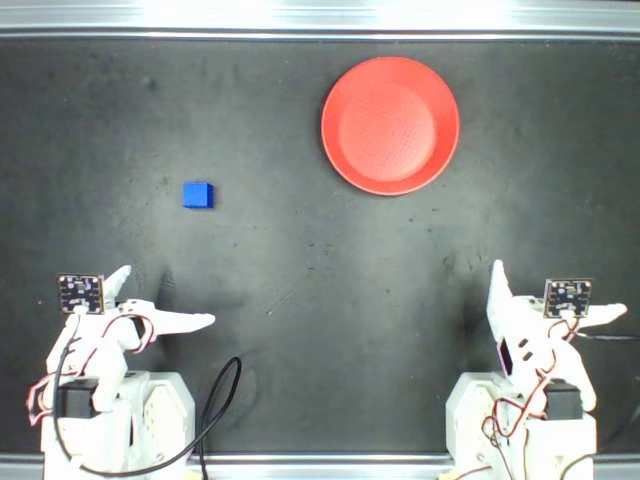
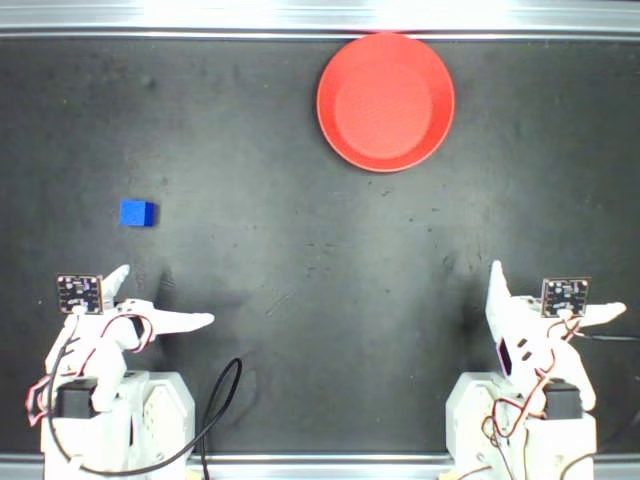
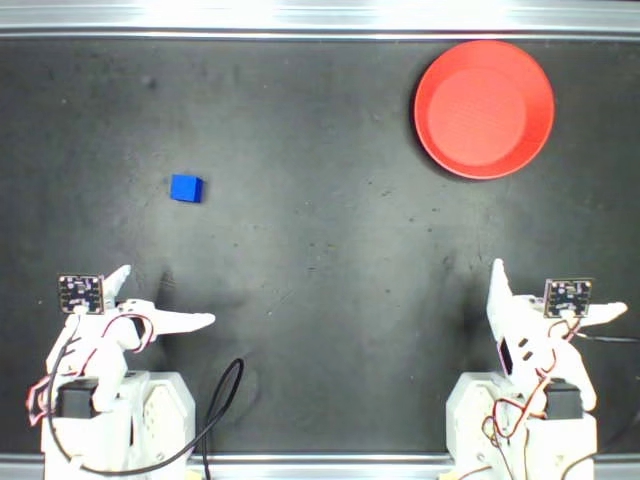
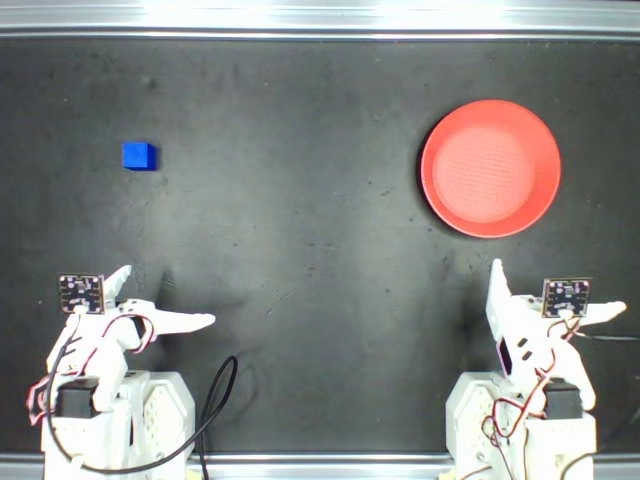
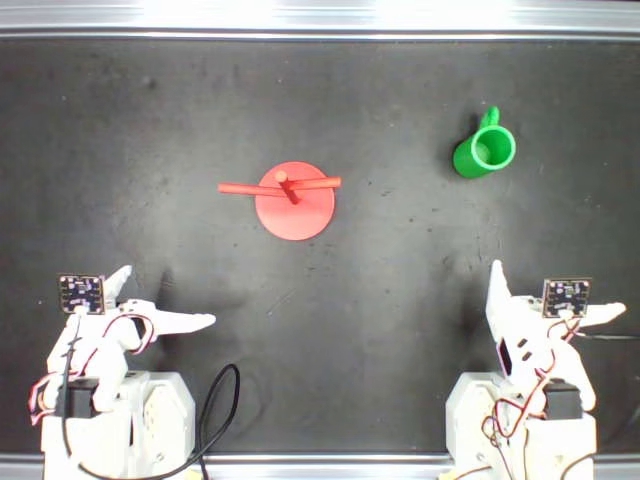
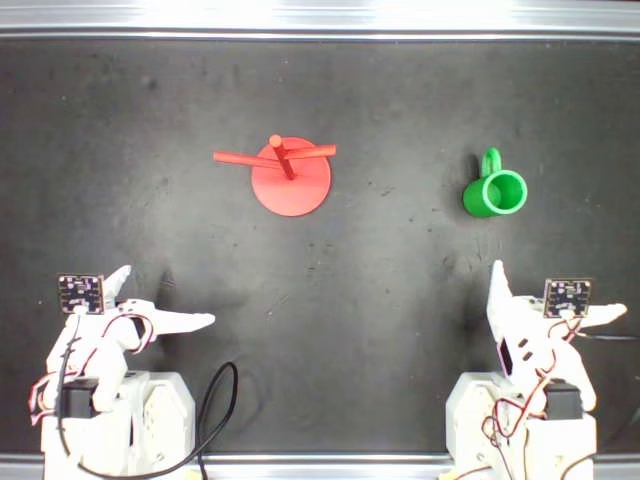
Task 05 · Cup Hanging任务 05 · 挂杯
Repository folder: task07_cup/ID/ · Dataset: yyyyyy0604/task07_cup_A_50仓库目录:task07_cup/ID/ · 数据集:yyyyyy0604/task07_cup_A_50
The selection manifest records a central representative layout and four additional layouts covering the non-outlier distribution.选择记录包含 1 个中心代表布局与 4 个覆盖非异常分布的布局。
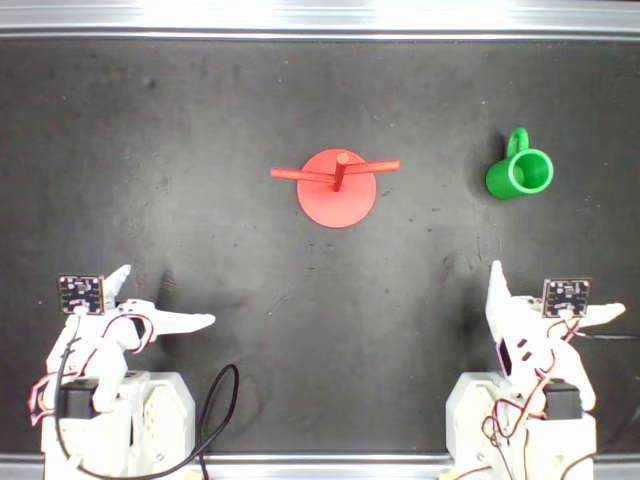
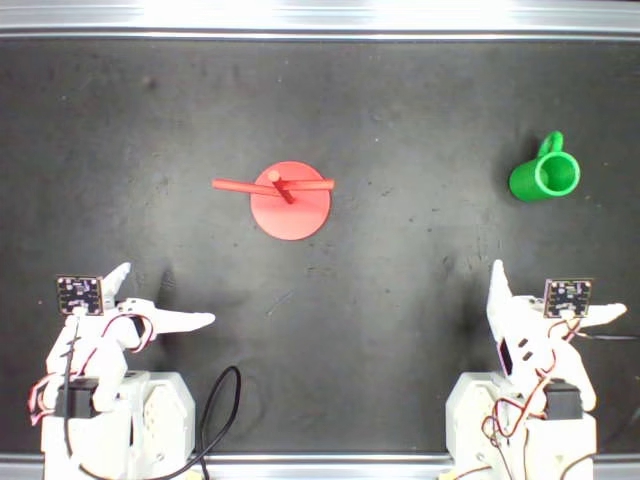
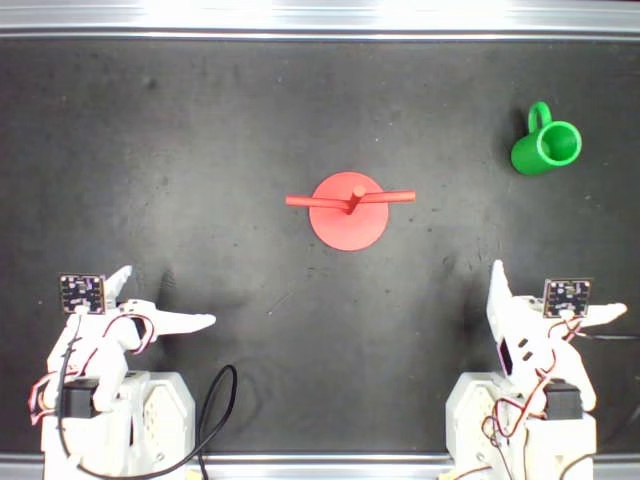
Task 06 · Block Stacking任务 06 · 积木堆叠
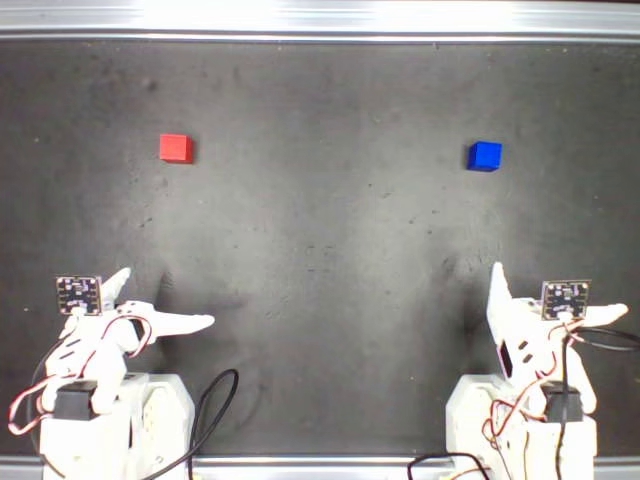
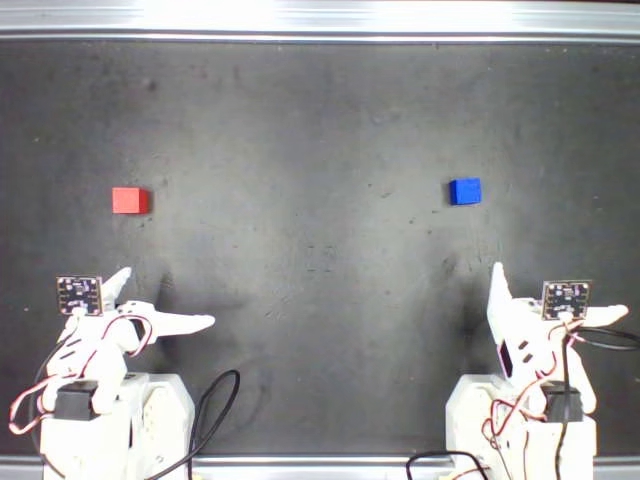
Repository folder: task02_stacking/ID/ · Dataset: yyyyyy0604/task02_stacking_A_50_fixed仓库目录:task02_stacking/ID/ · 数据集:yyyyyy0604/task02_stacking_A_50_fixed
The selection manifest records a central representative layout and four additional layouts covering the non-outlier distribution.选择记录包含 1 个中心代表布局与 4 个覆盖非异常分布的布局。
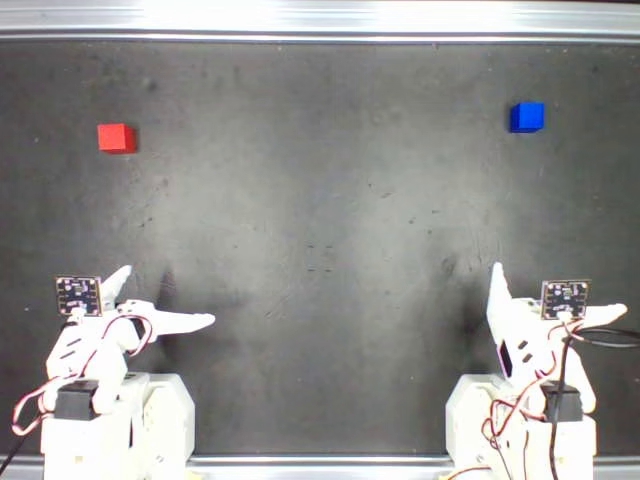
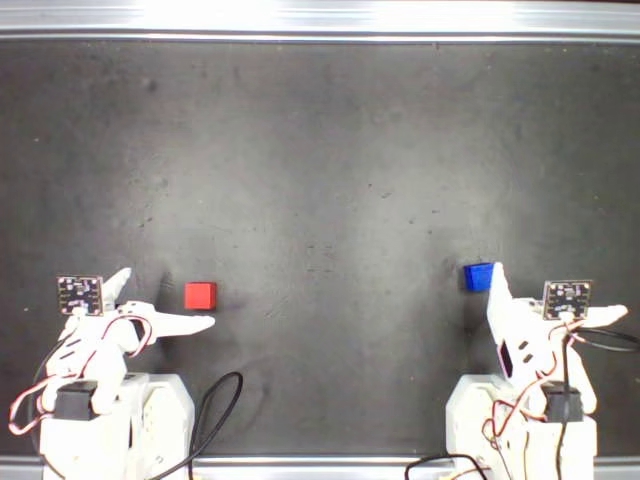
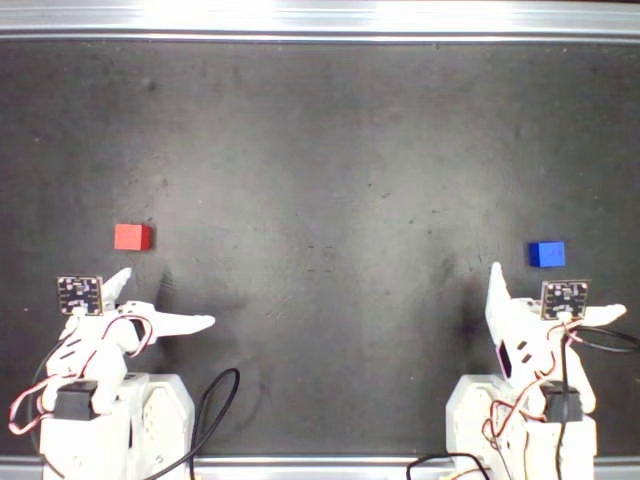
Task 07 · Drawer Placement任务 07 · 抽屉放置
Repository folder: task04_drawer/ID/ · Dataset: yyyyyy0604/task04_drawer_A_50仓库目录:task04_drawer/ID/ · 数据集:yyyyyy0604/task04_drawer_A_50
The selection manifest records a central representative layout and four additional layouts covering the non-outlier distribution.选择记录包含 1 个中心代表布局与 4 个覆盖非异常分布的布局。
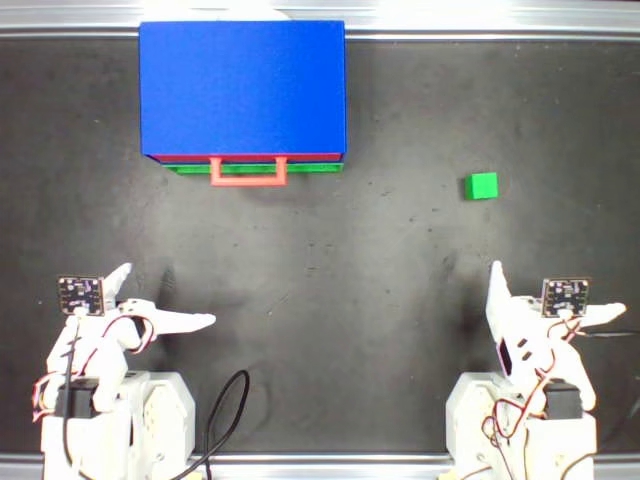
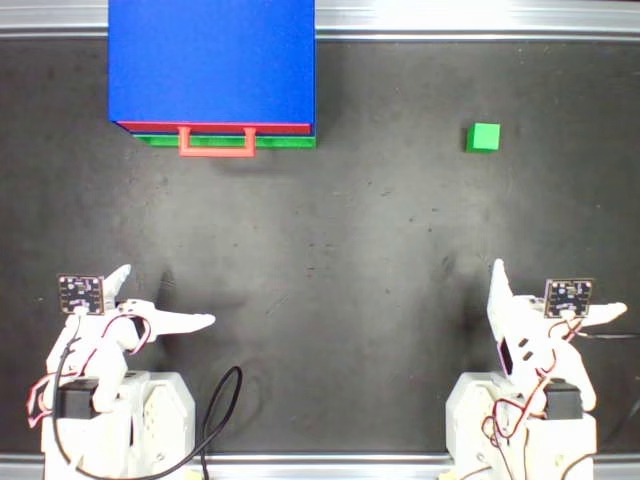
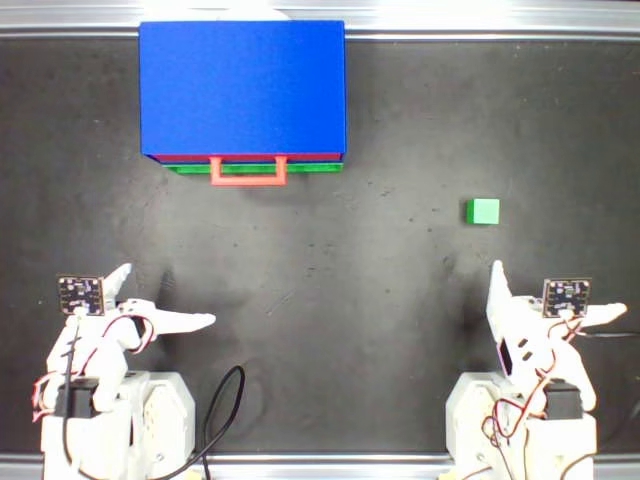
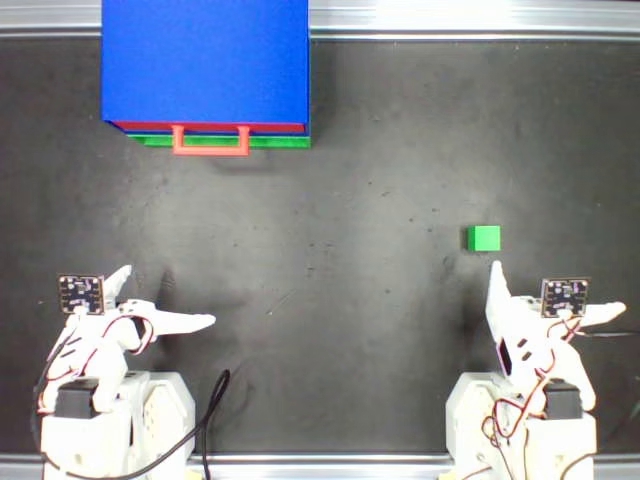
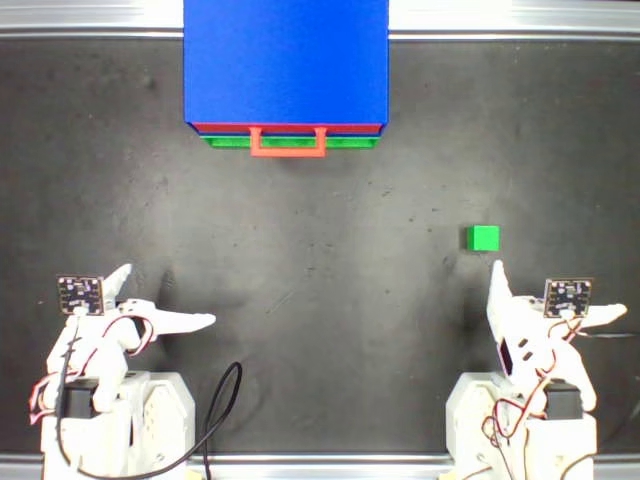
Task 08 · Cylinder Insertion任务 08 · 圆柱体插入
Repository folder: task08_cylinder/ID/ · Dataset: yyyyyy0604/task08_cylinder_insertion_50仓库目录:task08_cylinder/ID/ · 数据集:yyyyyy0604/task08_cylinder_insertion_50
The selection manifest records a central representative layout and four additional layouts covering the non-outlier distribution.选择记录包含 1 个中心代表布局与 4 个覆盖非异常分布的布局。
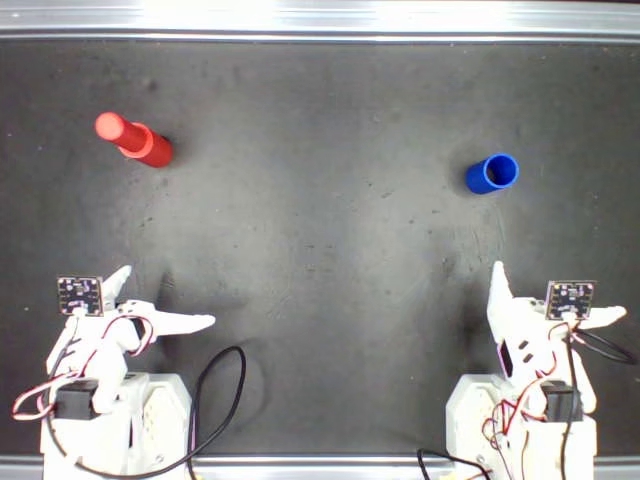
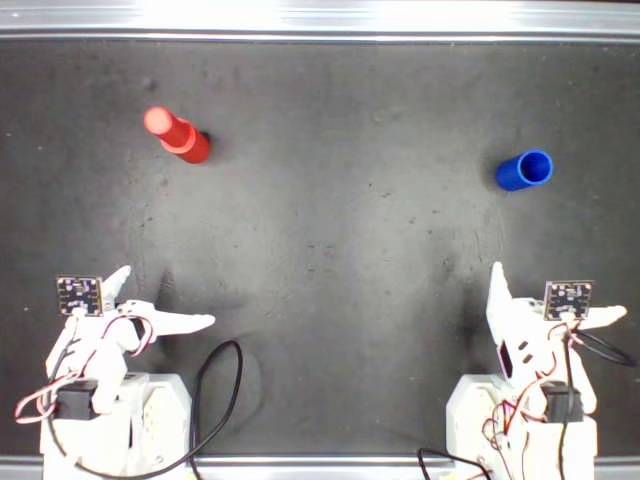
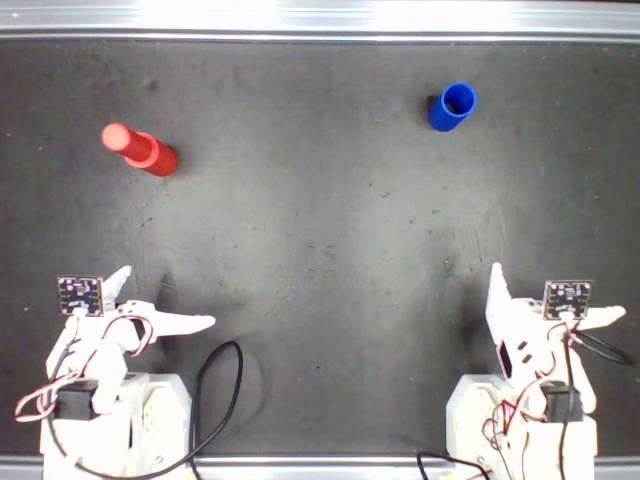
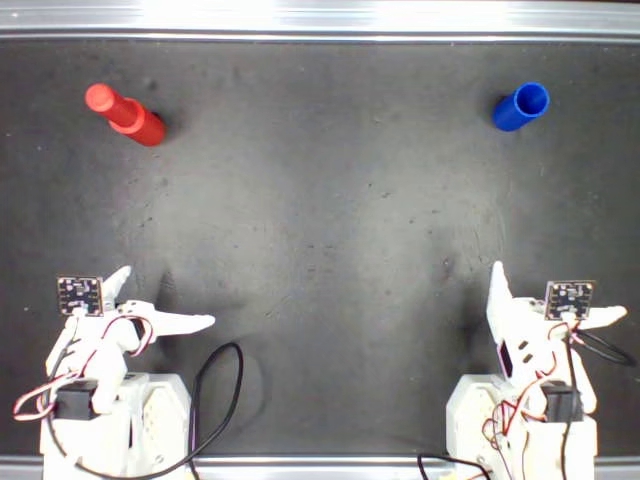
Training-distribution annotations训练分布标注图
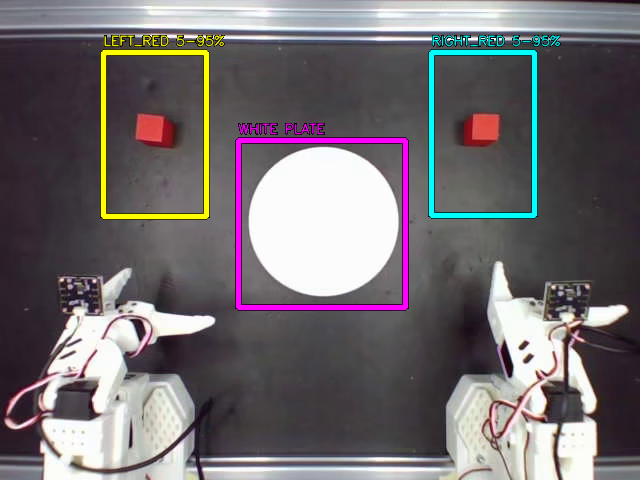
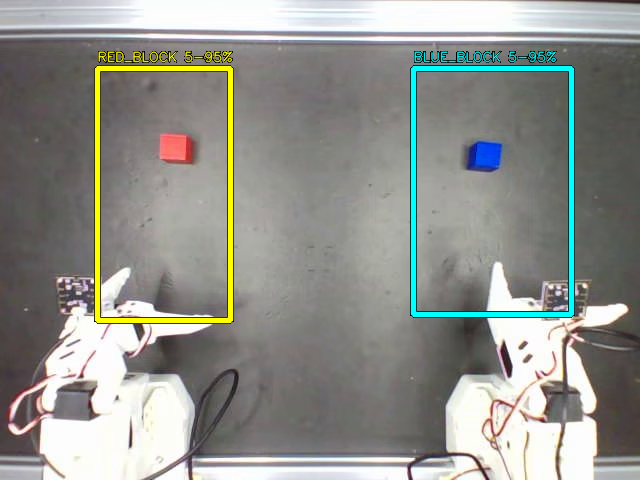
The repository also supplies distribution guides for Pick and Place and Block Stacking. These annotations show the training-layout distribution; they are not OOD reference scenes. Use the raw ID/picN.jpg images for the live scene overlay.仓库还提供了抓取与放置、积木堆叠的分布标注图。这些图说明训练布局分布,不是 OOD 场景参考。实时场景叠加应读取原始 ID/picN.jpg 图片。
Reset and confirm each scene逐回合复位与确认场景
- Run the ID configuration first using section 11 above. The recorder shows the selected reference over the live global camera image. It requires a graphical desktop and a GUI-capable OpenCV installation.按上方第 11 节命令先运行 ID 配置。录制器将所选参考图叠加到全局相机实时画面上;此预览需要图形桌面与支持 GUI 的 OpenCV。
- Wait for the follower arms to reach the H pose, then arrange the objects to match the reference. The current evaluation templates home automatically; if scene_home_requires_h is true, press H first.等待从臂回到 H 位,再按参考图摆放物体。当前评测模板会自动回 H 位;若 scene_home_requires_h 为 true,则先按 H。
- Press Enter after the scene is aligned. The policy then runs until the episode limit or an early-end key. The recorder advances references according to saved episodes.场景对齐后按 Enter 开始。策略执行至回合时间上限或提前结束操作;录制器按已保存回合数推进参考图。
- Record task success or failure for every trial. A failed task still counts as an evaluation trial; keep it in the results. Use the left-arrow rerecord function for recording/setup errors and log the reason.每次试验都记录任务成功或失败。任务失败仍属于评测试验,应保留在结果中;录制或场景设置错误时使用左方向键重录,并记录原因。
- After the ID run exits and the OOD images are available, launch the OOD configuration with the same checkpoint. Restore each OOD scene from its reference and record results in the separate OOD dataset.ID 运行结束退出且 OOD 图片已齐备后,用同一模型启动 OOD 配置。逐回合按 OOD 参考图恢复场景,结果录入独立的 OOD 数据集。
| Key按键 | Operation操作 |
|---|---|
| Enter | Confirm the preview and start the episode once home conditions are satisfied满足回 H 位条件后,确认预览并开始回合 |
| H | Return home; during a recorded episode this ends recording before the unrecorded home movement返回 H 位;录制中按下会先结束录制,再执行不计入数据的回位动作 |
| → | End the current episode early提前结束当前回合 |
| ← | Discard and rerecord the current episode with the same reference丢弃并按同一参考图重录当前回合 |
| Esc | Stop the run停止本次运行 |